Managing user data efficiently is one of the biggest challenges for growing WordPress websites. Whether you run a membership platform, an eCommerce store, an online learning portal, or a community website, user information constantly changes. New users register every day, existing users update their profiles, and inactive accounts may eventually need to be removed.
Keeping track of all these changes manually can quickly become overwhelming. For many website owners, Google Sheets has become the preferred tool for organizing and monitoring user data because it is simple, collaborative, and accessible from anywhere. But manually exporting WordPress users into spreadsheets every time a change occurs is both time-consuming and error-prone.
This is where synchronization tools become incredibly valuable. With WPSyncSheets For Core, WordPress websites can automatically sync user data with Google Sheets in real time, ensuring that registrations, profile updates, and deletions remain organized without requiring constant manual exports. This creates a far more efficient workflow for teams managing customer databases, memberships, leads, or user records.
Why User Data Synchronization Matters?
User data is constantly evolving and every interaction on your website generates information that may need to be tracked, reviewed, or shared with your team. When this data is scattered between WordPress dashboards, plugins, and manual exports, managing it becomes increasingly difficult as your website grows.
Google Sheets provides a centralized and collaborative way to organize this information. Teams can sort records, analyze user activity, track registrations, and maintain backups without logging into WordPress repeatedly.
However, the real value comes from automation. Instead of manually exporting user lists every few days, synchronization ensures that your spreadsheet always reflects the latest changes happening on your website.
Keeping User Profile Updates Organized
User data rarely stays the same. People update their names, contact details, addresses, and profile information regularly. Without synchronization, spreadsheets quickly become outdated because exported data no longer reflects the latest changes inside WordPress.
By keeping user records synced automatically, every update made on the website is reflected in Google Sheets. This ensures that teams always work with accurate information instead of relying on outdated exports. For businesses that depend on accurate customer records, this level of consistency is essential. It reduces confusion, improves collaboration, and helps maintain clean user databases.
Automatically Syncing New User Registrations
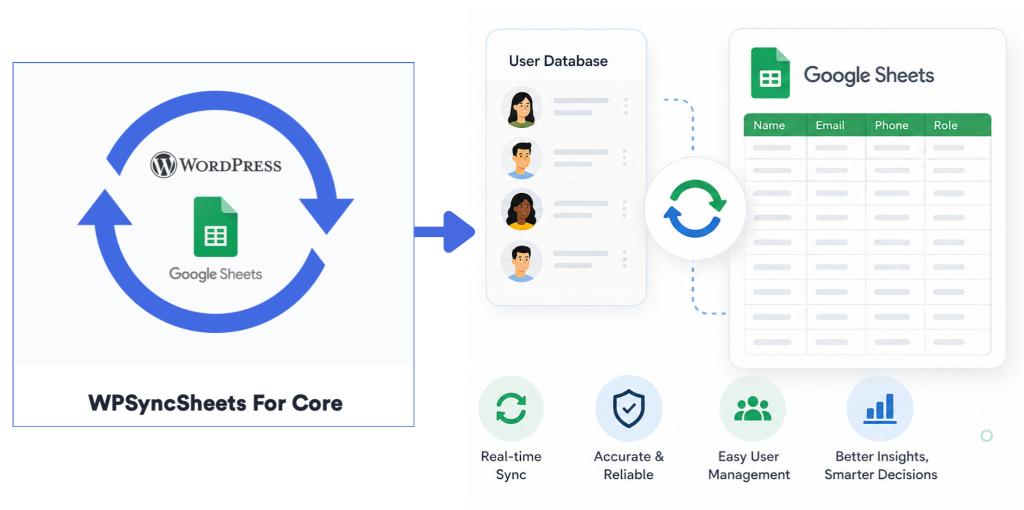
One of the most useful features of Google Sheets synchronization is the ability to automatically record new user registrations. Whenever a new user signs up on your WordPress website, their information can instantly appear inside a connected Google Sheet. This eliminates the need to manually export registration data or copy information between platforms.
For businesses and membership websites, this creates a much smoother workflow. Marketing teams can instantly monitor new sign-ups, administrators can track user growth, and support teams can access updated records in real time. This type of automation is especially useful for websites handling large numbers of registrations where manual management would otherwise consume valuable time.
Managing User Deletions Without Manual Cleanup
As websites grow, inactive or deleted users can clutter databases and spreadsheets. Manually removing these records from external sheets often becomes another repetitive administrative task.
Synchronization solves this issue by automatically reflecting deletions inside connected Google Sheets. When a user account is removed from WordPress, the corresponding spreadsheet data can also be updated accordingly.
This helps maintain a cleaner and more organized database while reducing unnecessary manual maintenance. For websites focused on compliance, organization, or data accuracy, automated deletion syncing provides an additional layer of reliability.
Simplifying WordPress User Management with WPSyncSheets
The WPSyncSheets For Core plugin helps automate this entire synchronization process by connecting WordPress data directly with Google Sheets. Instead of manually exporting user lists, administrators can maintain a live connection between their website and spreadsheets.
This integration allows website owners to monitor and manage user information more efficiently while improving collaboration across teams. Because the data is stored in Google Sheets, teams can also take advantage of spreadsheet features such as:
- Filtering user records
- Sorting registrations
- Sharing data with collaborators
- Creating reports and analytics
- Tracking user growth trends
This transforms Google Sheets into a dynamic management dashboard for WordPress user data.
Improving Workflow Efficiency Across Teams
For many organizations, user data is not managed by just one person. Marketing teams, administrators, customer support staff, and managers often need access to updated user information. Constantly requesting exports from WordPress administrators slows down communication and creates unnecessary bottlenecks.
By syncing user data automatically with Google Sheets, teams gain access to real-time information without depending on repeated manual exports. This improves collaboration and allows departments to work more efficiently. Instead of spending time managing spreadsheets manually, teams can focus on analyzing data and improving user engagement.
Reducing Human Errors in Data Management
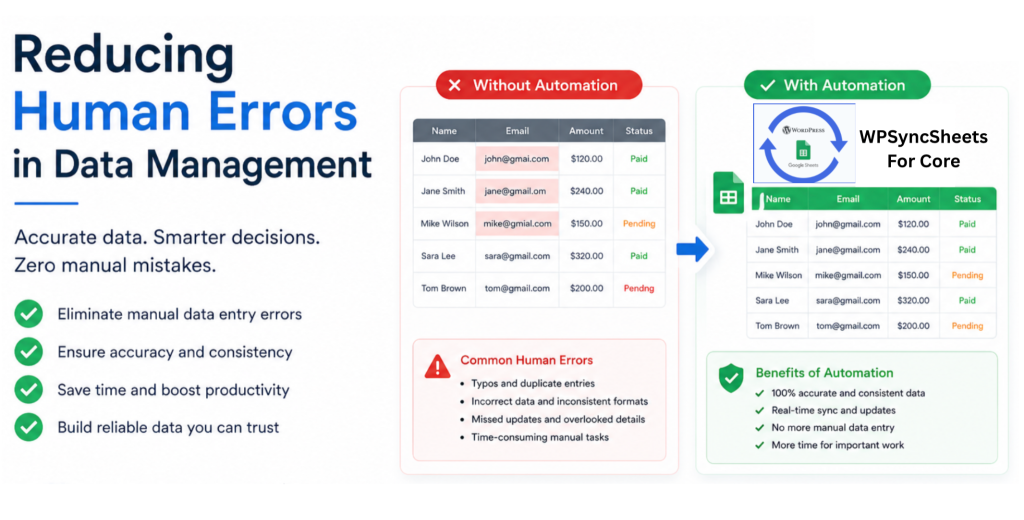
Manual exports and spreadsheet updates often introduce mistakes. Duplicate records, outdated information, accidental deletions, and formatting inconsistencies become more common as databases grow larger.
Automation significantly reduces these risks. By keeping registrations, updates, and deletions synchronized automatically, website owners can maintain cleaner and more reliable datasets. This improves overall data accuracy and minimizes administrative overhead. For businesses relying heavily on customer records and membership information, reducing these errors can save both time and operational costs.
A Better Approach to WordPress Data Management
Modern websites generate more user data than ever before. Managing this information manually is no longer practical for growing businesses and online platforms.
Automated synchronization between WordPress and Google Sheets provides a smarter approach. Instead of constantly exporting, updating, and organizing spreadsheets manually, website owners can maintain a continuously updated database that reflects real-time activity. With tools like WPSyncSheets For Core, WordPress user management becomes simpler, more organized, and significantly more efficient.
Final Thoughts
Keeping your WordPress user database synchronized with Google Sheets is more than just a convenience. It is a major improvement in workflow management and data organization.
Automatically syncing user registrations, profile updates, and deletions ensures that your spreadsheets always remain accurate and up to date. It reduces repetitive manual work, improves collaboration, and helps teams manage user information more effectively. As websites continue to grow and user databases expand, automation tools like WPSyncSheets For Core are becoming essential for businesses that want a more streamlined and scalable way to manage WordPress data.