Connect Gravity Forms submissions with Google Sheets in real time and automate your entire data workflow. Instantly import and export form entries, eliminate manual data handling, and turn raw submissions into organized, actionable insights. Analyze, manage, and make data-driven decisions faster to boost productivity and business growth.
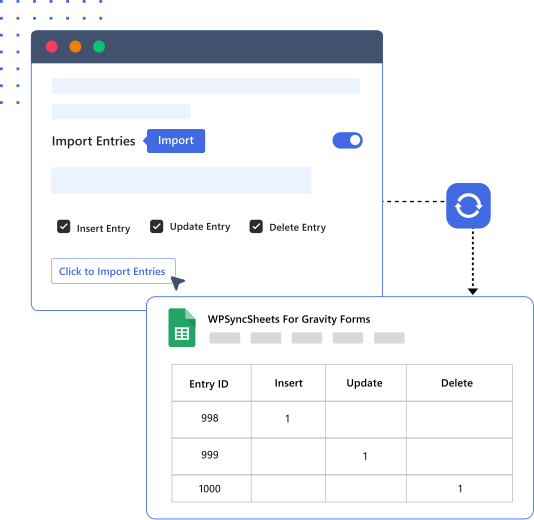
Effortlessly import and update Gravity Forms entries from Google Sheets in bulk. Automate data synchronization with scheduled imports, eliminate manual updates, and keep your form data accurate and up to date. Quickly update multiple entries at once, streamline your workflow, and save valuable time with seamless two-way sync.
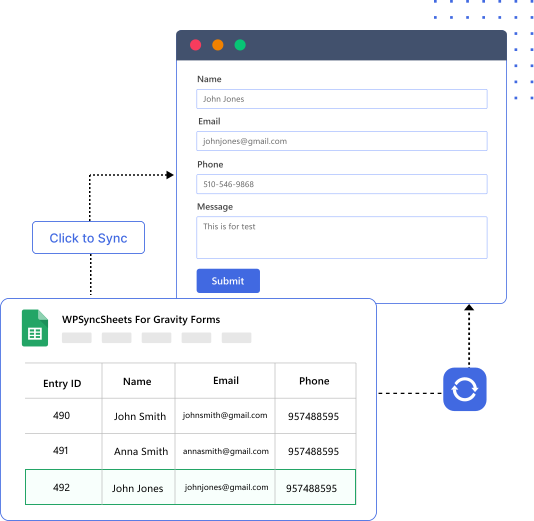
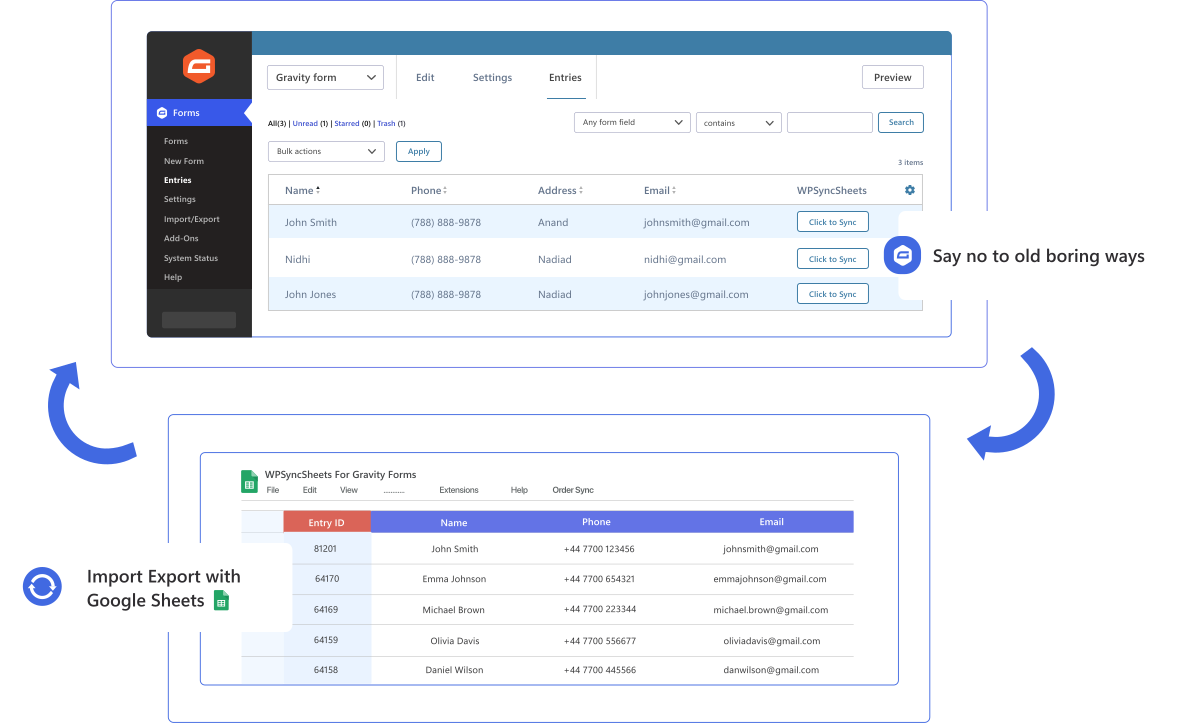
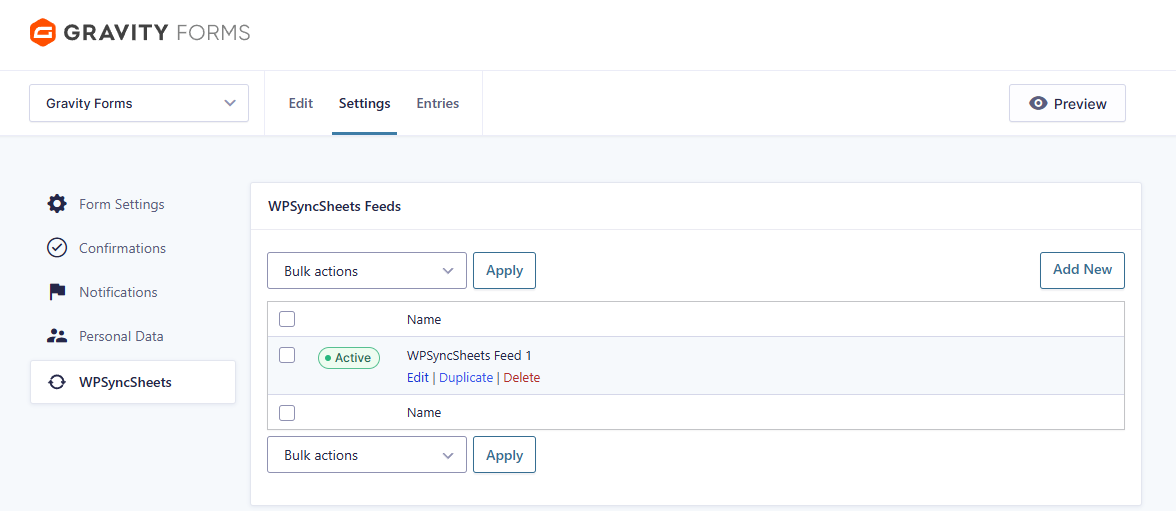
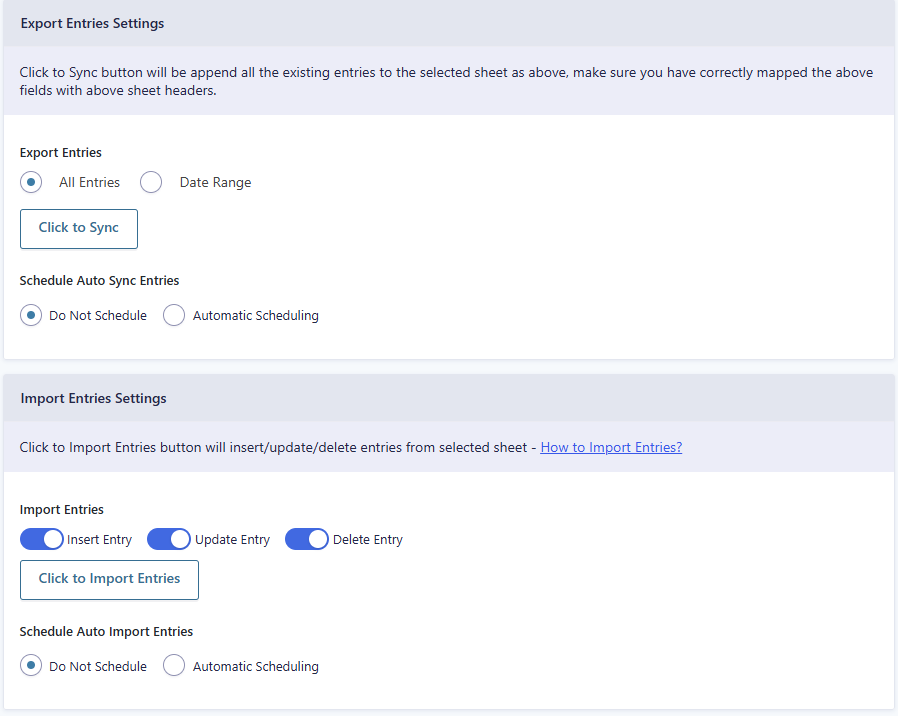
Automatically export Gravity Forms entries to Google Sheets in real time. Schedule recurring syncs or use the powerful “Click to Sync” feature for instant, on-demand exports. Eliminate manual data handling, keep your spreadsheets always up to date, and simplify reporting and analysis with effortless automation.
A beginner-friendly and codeless plugin for Gravity Forms Google Sheet Connector.

Instantly sync every new Gravity Forms submission to Google Sheets in real time. Keep your spreadsheet always up to date with live form data and never worry about missing or outdated entries.

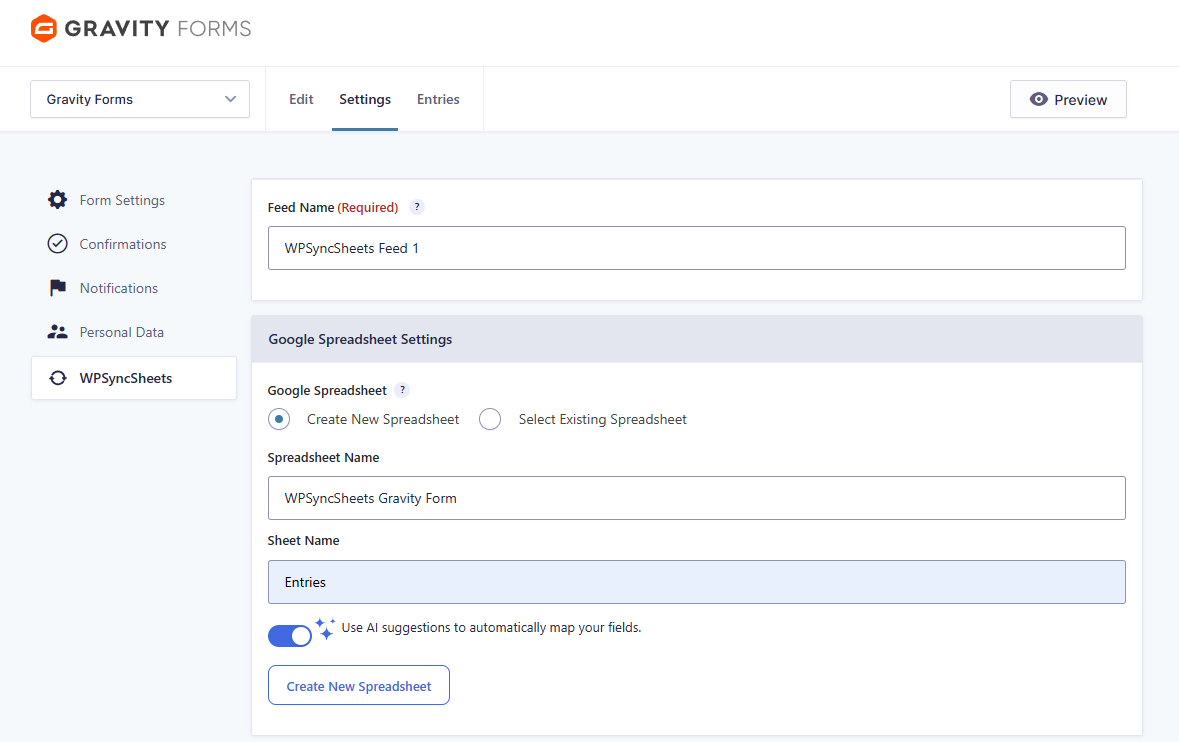
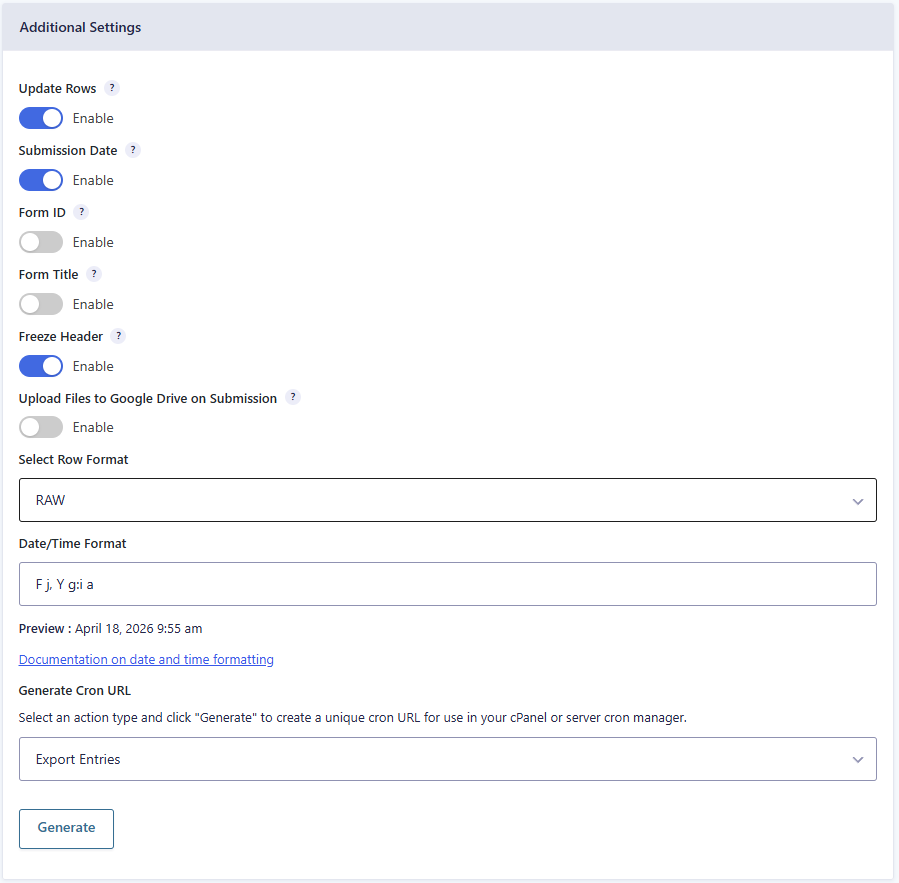
Create new Google Sheets or connect to existing ones. Freeze headers, auto-add timestamps, format columns, and organize submission data for fast tracking and professional reporting. Organize your Gravity Forms data easily.

Export Gravity Forms entries to Google Sheets for a selected date range. Sync past or recent submissions on demand and keep your spreadsheet clean, organized, and fully under control.

Set automatic schedules for imports and exports and let the plugin handle everything. Sync your form data at your preferred time, reduce manual work, and streamline your entire workflow effortlessly.

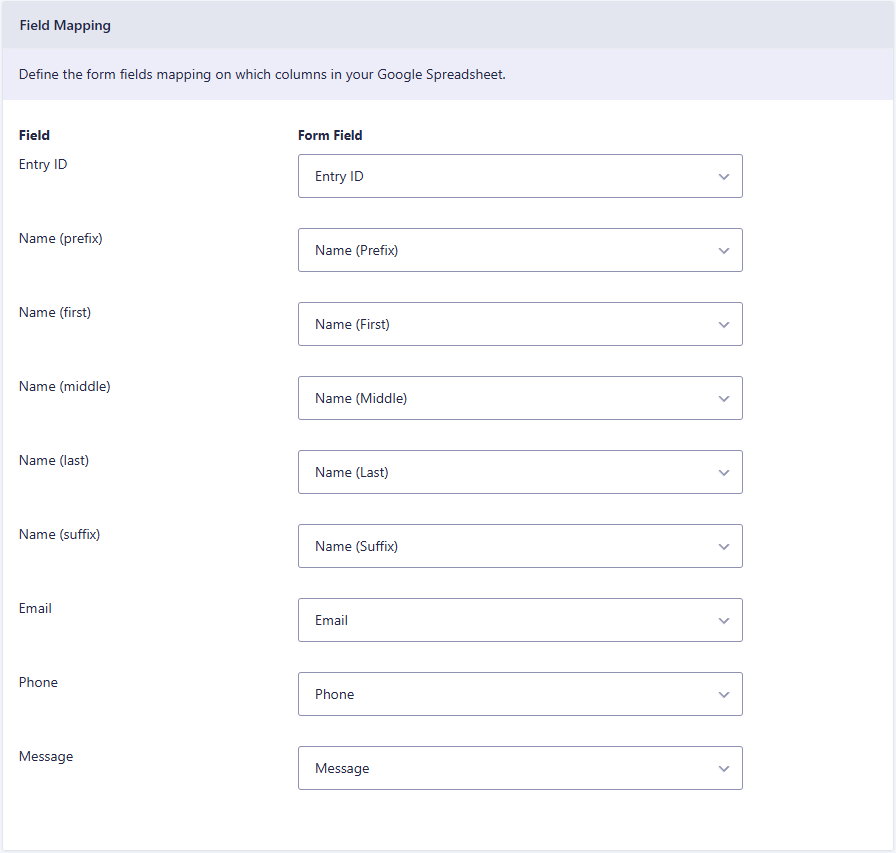
Automatically map Gravity Forms fields to Google Sheets columns or customize headers manually. Organize your submission data exactly the way you want for better clarity and easier analysis.

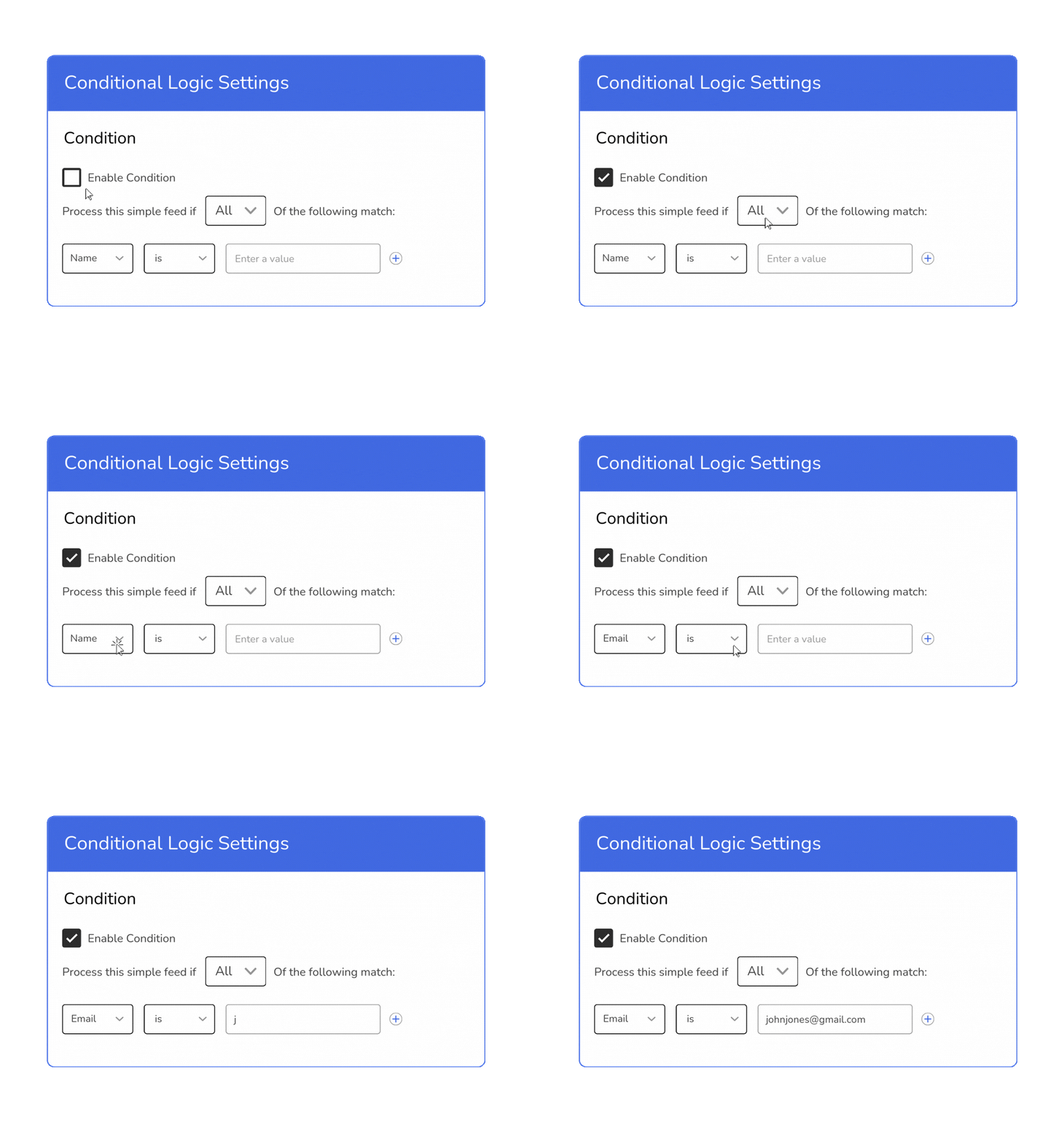
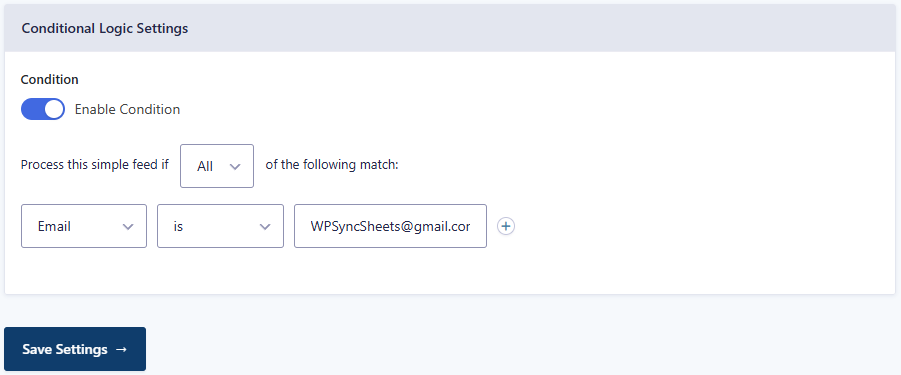
Control which entries get synced using conditional logic. Sync only selected submissions, filter data based on field values, and keep your spreadsheets clean and relevant.

Automatically capture and sync file uploads from your Gravity form submissions to Google Sheets. Uploaded files are stored securely, and the sheet includes direct links for quick access. Easily manage documents, images, and attachments in one place.

Avoid clutter and redundant entries in your spreadsheet with smart duplicate detection. WPSyncSheets identifies and prevents duplicate form submissions from syncing, keeping your Google Sheets clean, organized, and easy to analyze.

Seamlessly integrate with popular plugins for enhanced functionality and workflow efficiency. Fully compatible with Gravity Forms add-ons and third-party extensions to ensure smooth syncing without conflicts. – view list here
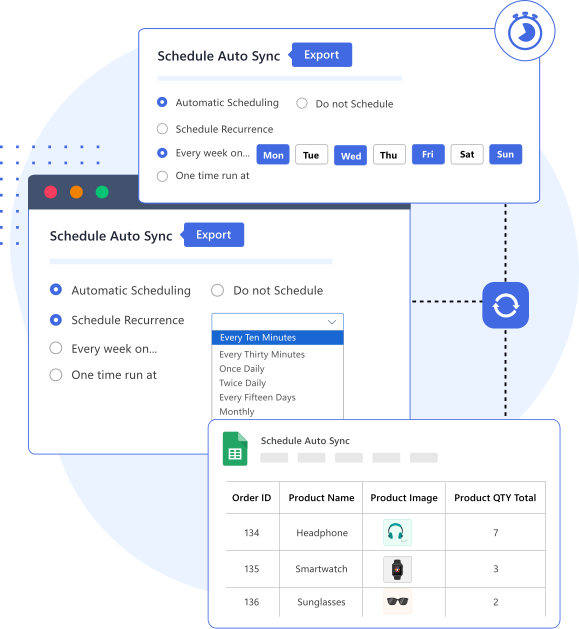
Automatically sync Gravity Forms entries with Google Sheets on your schedule. Eliminate manual updates, keep submissions up to date in real time, and streamline your workflow for greater efficiency.
Key Benefits:
Beyond import and export, WPSyncSheets gives you granular control over sheet creation, formatting, and styling, making your Gravity Forms data organized and easy to manage. Customize every aspect of your Google Sheets to fit your workflow and reporting needs.
Key Features:
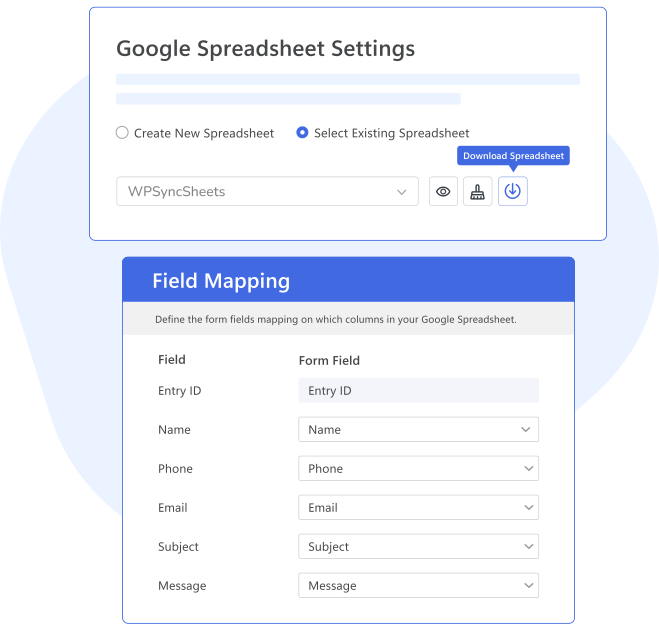
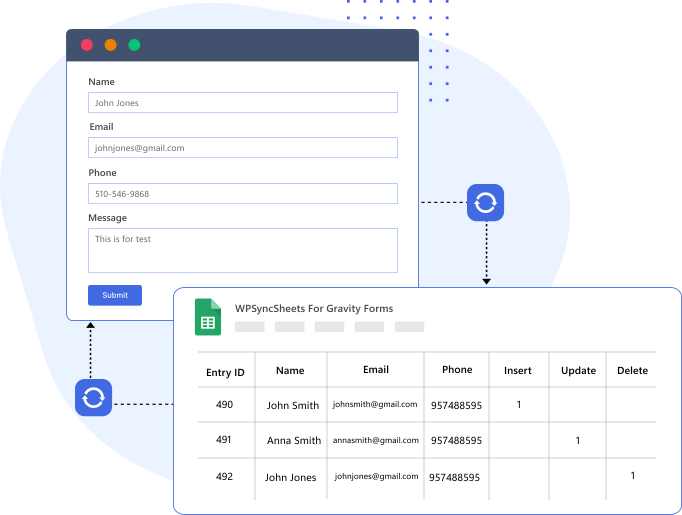
Sync Gravity Forms entries with Google Sheets in both directions and visualize your form data instantly. Generate and customize charts to track submissions, trends, and key metrics. Refresh graphs anytime for quick insights and data-driven decisions.
Key Benefits:
Trusted by 200,000+ store owners to simplify daily Gravity Forms import and export tasks.
Buy PluginControl exactly which Gravity Forms entries sync with Google Sheets using powerful conditional logic. Filter data based on field values, form status, or custom rules to keep your spreadsheets clean, relevant, and organized.
Key Benefits:
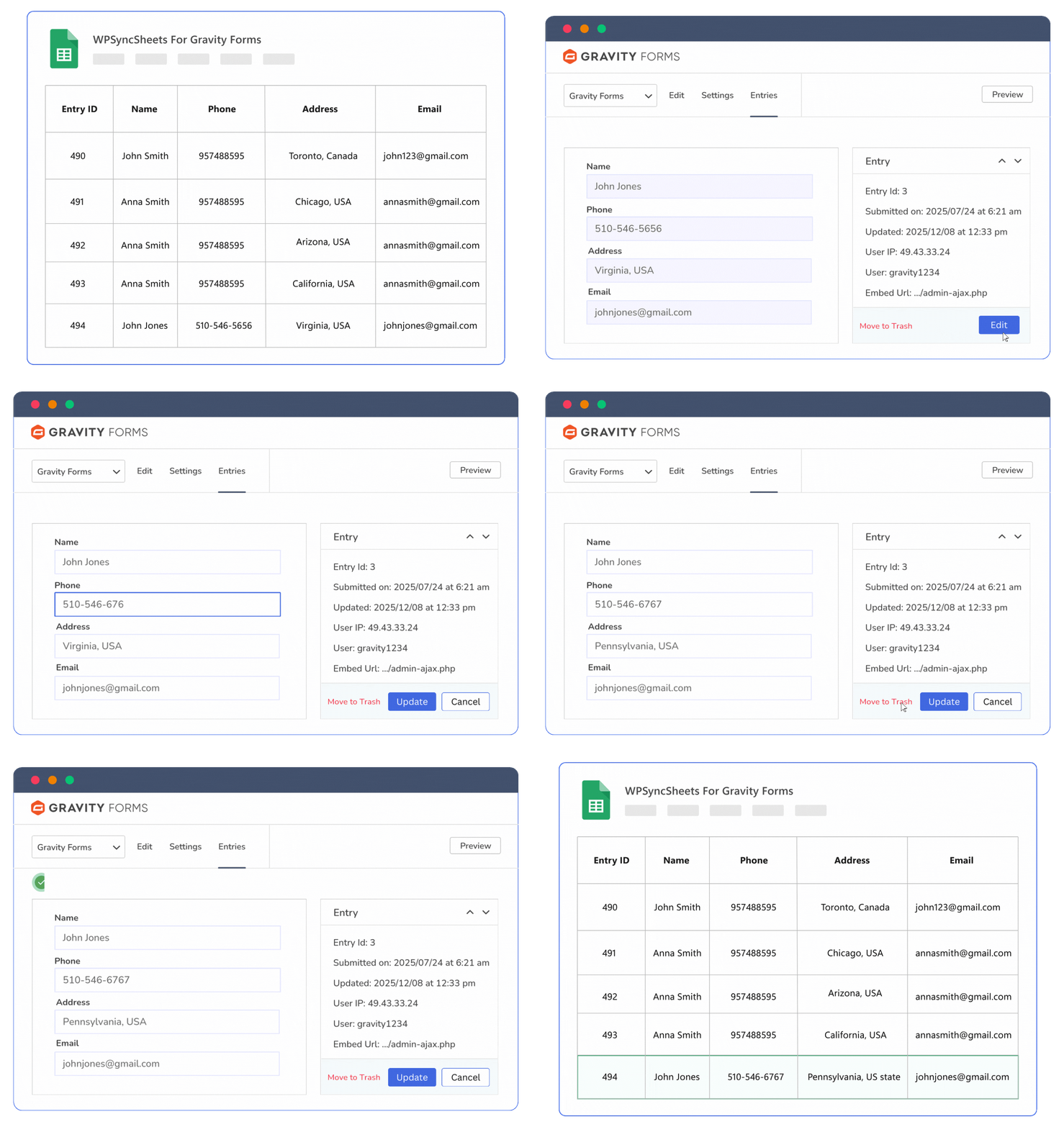
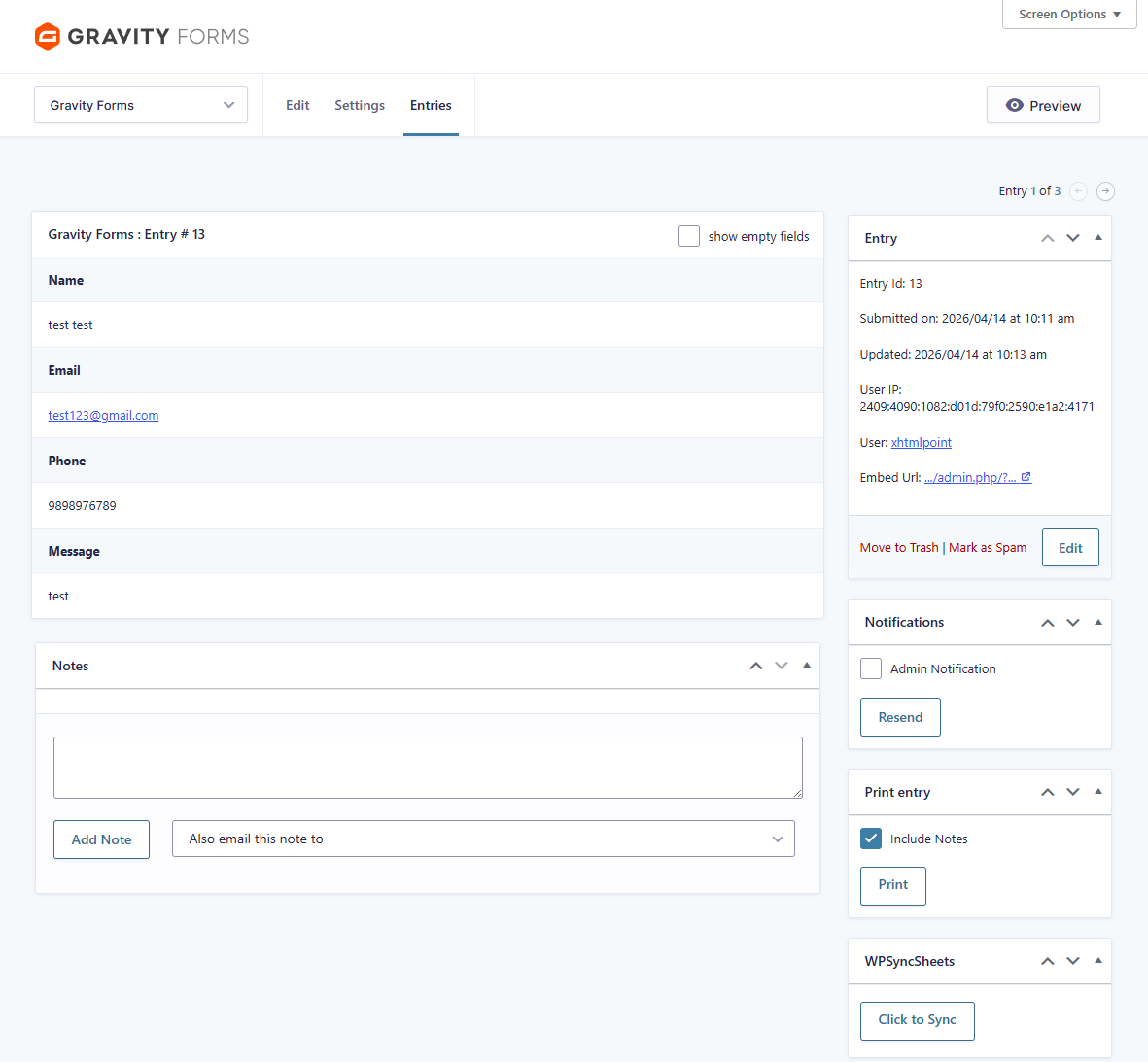
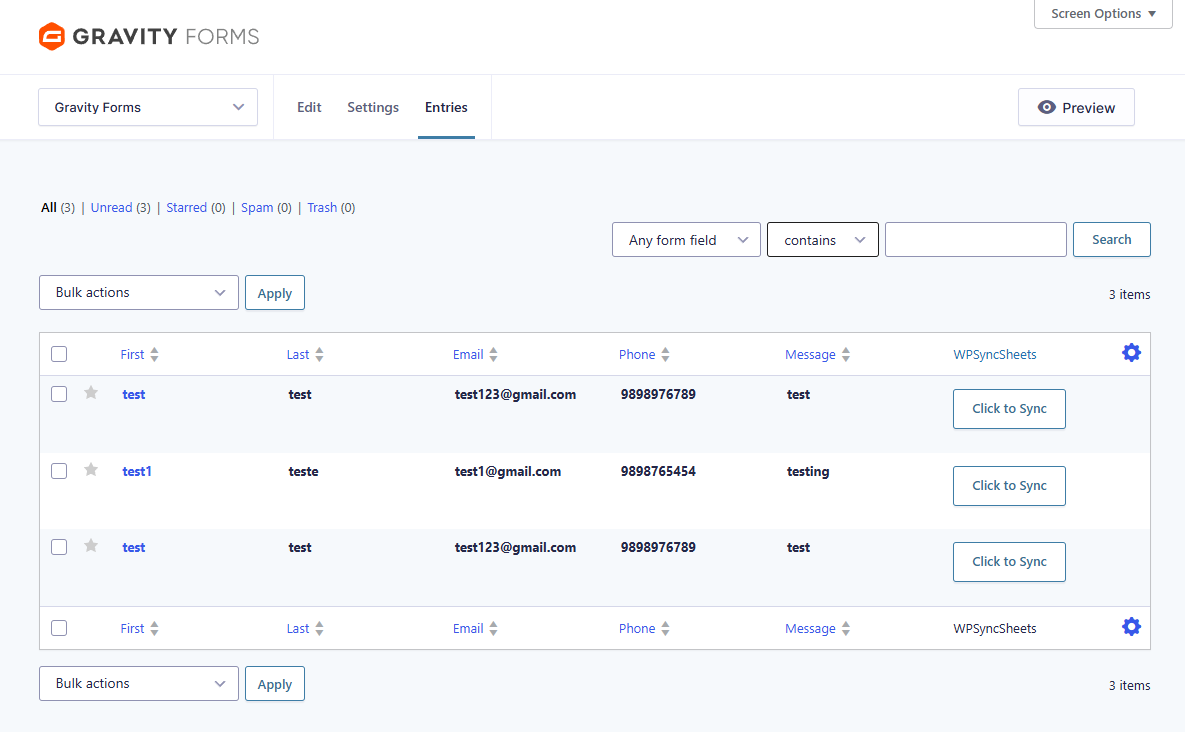
Sync Gravity Forms entries with Google Sheets instantly at the click of a button. Perfect for on-demand updates, quick fixes, or one-off exports, this feature gives you complete control over your data without waiting for scheduled syncs. Quickly update multiple entries at once, streamline your workflow, and save valuable time with seamless two-way sync.
Key Benefits:
 Top Rated 5/5 in 900+ reviews
Fantastic Plugin that makes keeping track of order and order details in Sheets an absolute breeze. Fantastic customer service also! Once I faced some issue, it was dealt with by the support immediately and with complete satisfaction. I like to work with professionals and got great help here, so I recommend it.

Founder
I installed WPSyncSheets expecting a complicated process but setup was a breeze and it works flawlessly. What really sets WPSyncSheets apart from other plugins is its outstanding support. Their dedication to customer satisfaction is truly impressive.

Senior Web Developer
The plugin works great together with Gravity Forms and Gravity View. When I ran into trouble, Arpit was quick to look into the issue and solve it. The support has been excellent! They do their best and solved complicated problems even server-side things. I have figured out why these guys have a 5-star review all.

Owner/Guide


If our plugin doesn’t work as promised, you’re backed by our 14-day refund policy to request your money back.
Read about our policy here.
Compare the features to find the best option for your website.
General Features
Free
Pro
Automatically Create New Google Spreadsheet
Automatcailly Create New Google Sheets
Download Excel & CSV
Automatically Clear Google Spreadsheet
Freeze Headers (First Row of the Google Spreadsheet)
Automatic Field Mapping
Support Multiple Forms to Sheets
Submission Date & Time
Enable/Disable Form ID & Form Title
Export All Entries
Export Entries with Date Range
Schedule Auto Sync Entries
Import Entries
Update Rows when Entries are Updated
Upload Files to Google Drive on Submission
Row Input Format Option
Date/Time Format Option
Enable Conditional Logic
This error is typically caused by an incorrect Redirect URI in your Google Cloud Console credentials. To fix it:
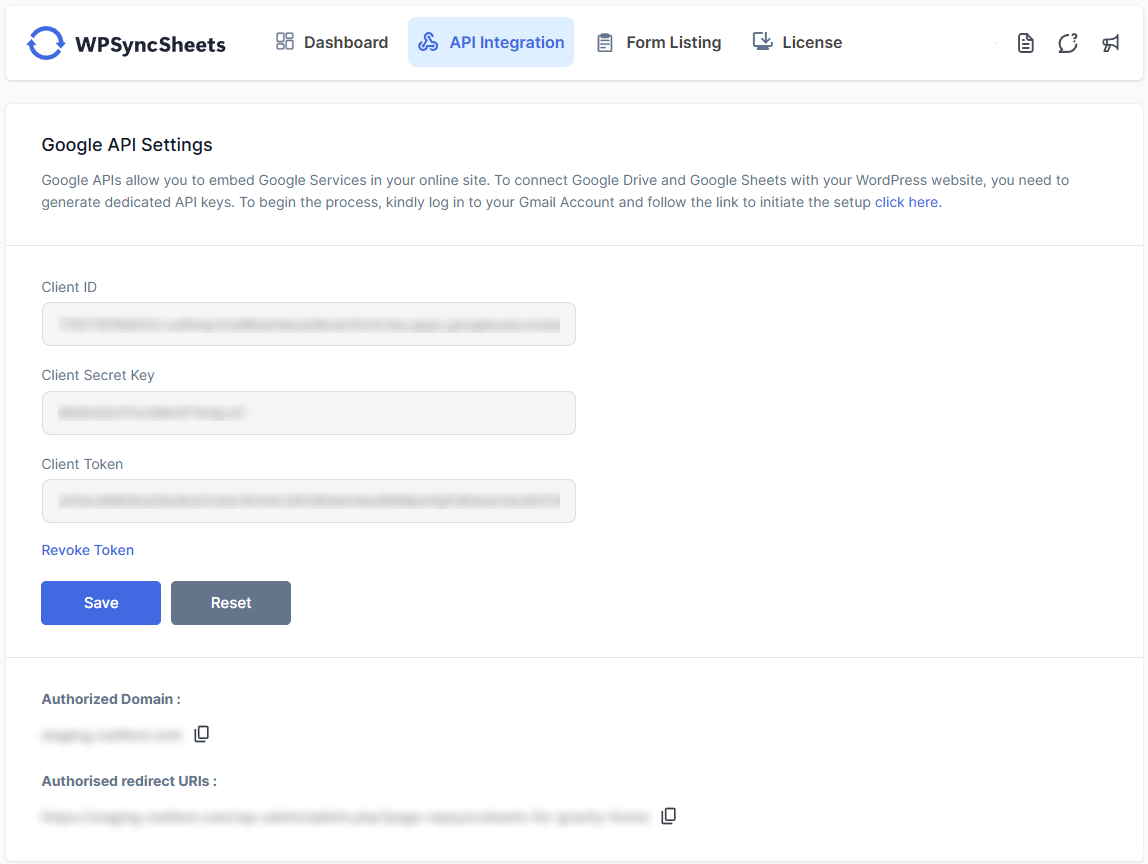
https://yourdomain.com/wp-admin/admin.php?page=wpsyncsheets-for-gravity-forms).Also, ensure that your Google Cloud project’s OAuth consent screen is set to “Published” (not “Testing”) so the app is not restricted.

Can’t find an answer to your question? Search our knowledge base or get in touch via the contact page.
We care about your data privacy policy.







